

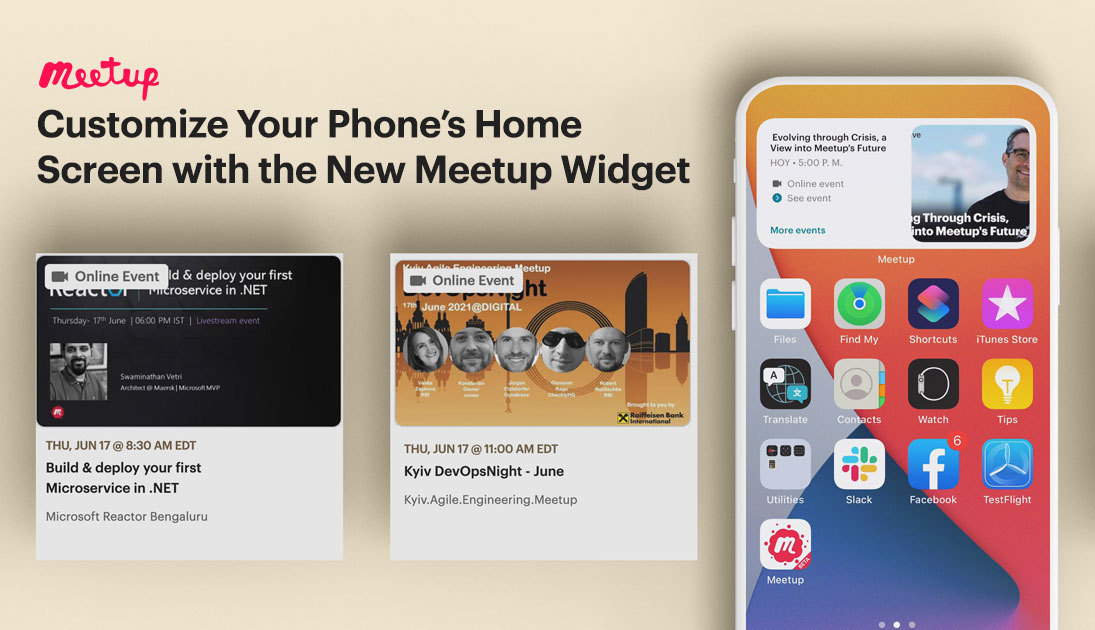


Meetup’s new widget is the productivity hack you’ve been waiting for. By adding the Meetup widget to your phone’s home screen, you’ll have details about your upcoming Meetup events along with personalized event suggestions right at your fingertips. With up-to-date information and event suggestions in a convenient location, you’ll never miss out on another Meetup great event again.
Get the most out of your iPhone or Android by adding the widget to your home screen using the directions below.
Adding the Meetup Widget for iOS
- Download the Meetup app from the App Store
- Tap the screen and hold so that the app icons are editable
- Navigate to your phone’s home page and select the + button on the top left corner of the screen
- Browse through available widgets and select the Meetup app
- Select the widget view you’d like to display
- Drag and drop the widget on your home screen
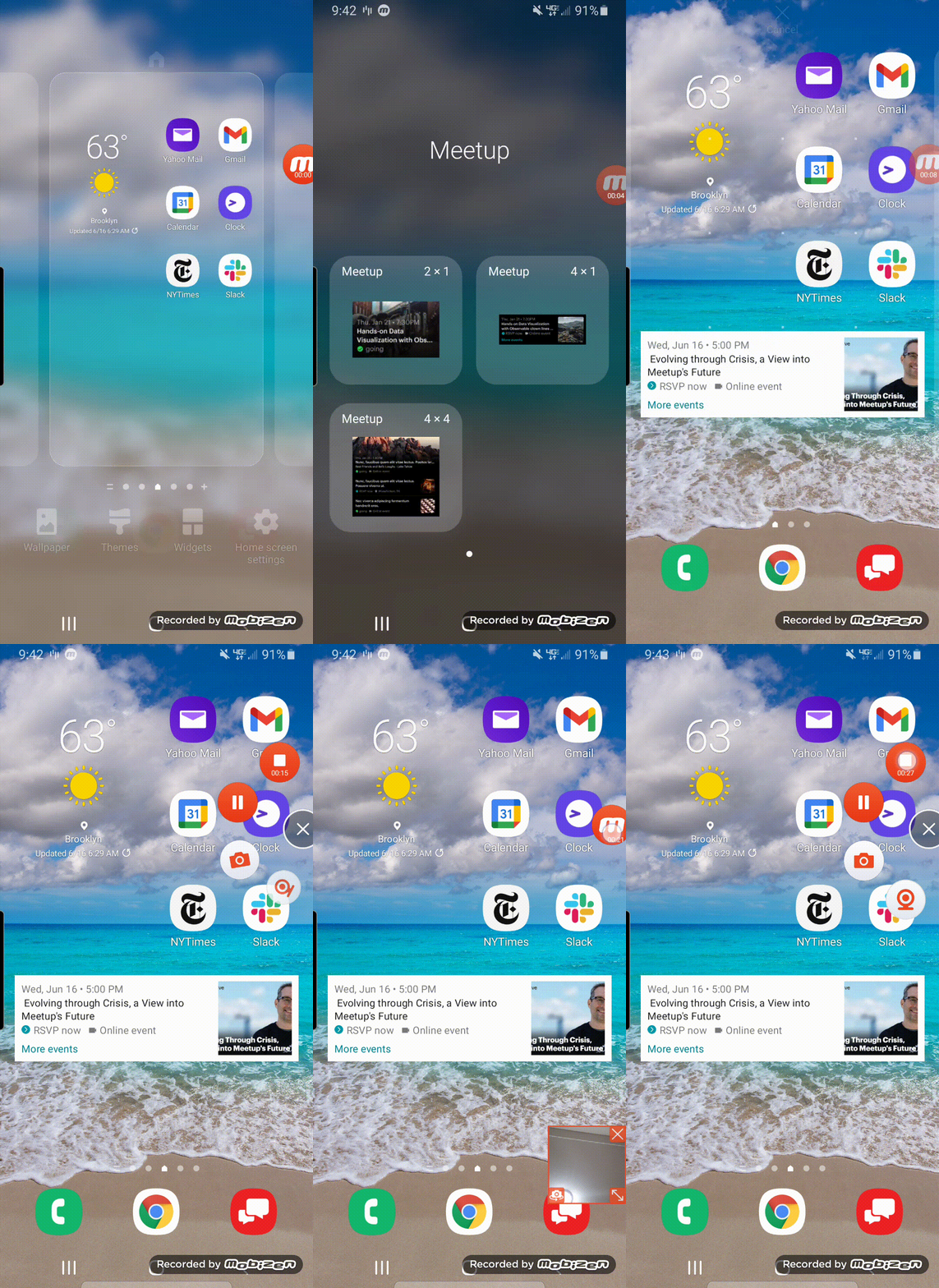
Adding the Meetup Widget for Android
- Download the Meetup app from Google Play
- Long tap the home screen
- Select the widget
- Among the available widgets, choose the Meetup widget
- Select the view type to choose how the widget will appear

Last modified on September 23, 2021