




Meetup routinely asks members to leave a star rating and event feedback after each event they attend. Organizers have expressed interest in accessing a comprehensive overview of this information to help unlock new insights into the progress of their groups.
Now, for the first time ever, Meetup organizers and their leadership team members will be able to gauge the overall perception of their events with the help of this feedback data. You can get a better sense of the impact your work is making on others—and discover where there’s room for improvement—through the easily digestible Event Feedback layout.
What does Event Feedback look like?
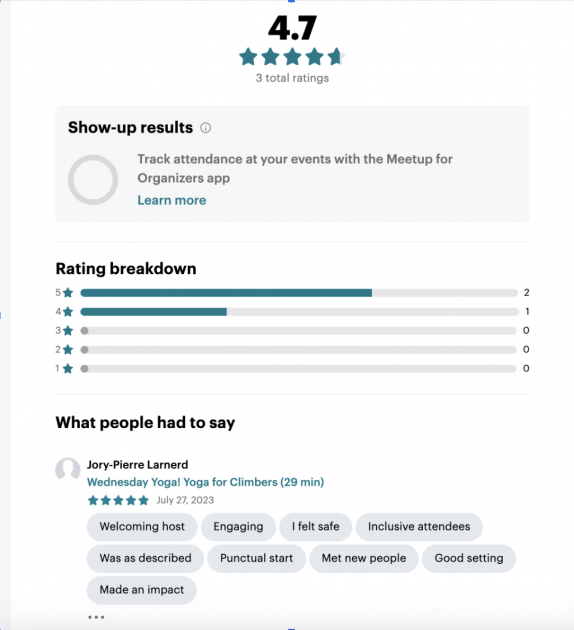
In the same drop-down menu you use to manage and contact event attendees, you’ll now be able to choose “View feedback” and see a sleek breakdown of ratings and post-event comments.
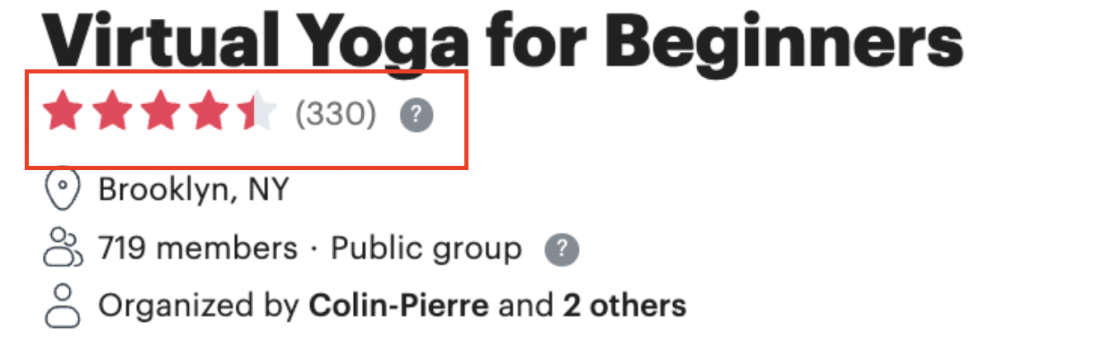
On the new feedback overview page, you have access to comprehensive feedback at a glance. To get to this page, visit your Group Home page and click the star rating that appears underneath your group name. With a simple filter, you can customize the layout to get a quick glimpse of your ratings or explore a more in-depth analysis. The types of feedback available include:
- Individual star ratings — See how specific attendees rated their overall event experience out of five stars.
- Average star ratings — Get the general consensus about your event by taking the average of every star rating.
- Would attend again — The percentage of attendees who responded that they would attend a similar event with your group in the future.
- What people liked — A narrative space for attendees to review what they enjoyed about the event, in their own words.
- What went wrong — A narrative space for attendees to offer a critique of the event’s potential shortcomings.
The Event Feedback filter also allows you to filter feedback by ratings with reviews, or filter by number of stars. This lets you interact with the information you value most. For example, you might filter by ratings of four stars or higher to emphasize the positive influence your efforts are making in people’s lives. Or, you might filter by ratings with reviews so you can get a more intimate look at both praise and critique.
How to make the best use of Event Feedback
Ultimately, the Event Feedback feature is an organizing tool, and what matters most is how you implement that tool for future success.
As you first dive into Event Feedback, start with the positive reviews. It’s helpful to get a general sense of what’s already working well. Plus, as a leader, it’s energizing to see the impact your efforts make on the community.
Then, you can let that energy and motivation carry you on toward the more critical reviews. When taking a look at these, remember that everybody’s different, and that means it’s totally normal for feedback to vary. Not every group member is going to like every event. Your job isn’t to try and reach perfection. Instead, take note if there are some common responses about what could be changed. When there’s a big trend among critical reviews, that’s a good sign that you should consider adopting a change.
For the greatest chance of success, complement the new Event Feedback feature with more organizational resources. For example, you could join the Meetup Organizer Community on Discord to get support from fellow organizers and find out how other people are making use of their group’s feedback.
You could also join Meetup Live for access to online events addressing the whole spectrum of community building, hosted by Meetup HQ and special guests. By taking advantage of Event Feedback and diving into the archive of past Meetup Live event recordings and recaps, you can start expanding your organizational tool belt today!

Last modified on August 21, 2023