



Are you interested in expanding the reach of your Meetup groups this year? Watch this all-access demonstration to learn about Meetup Pro, Meetup’s premiere subscription offering, to learn about its advanced features for bringing people together. We’re here to help!
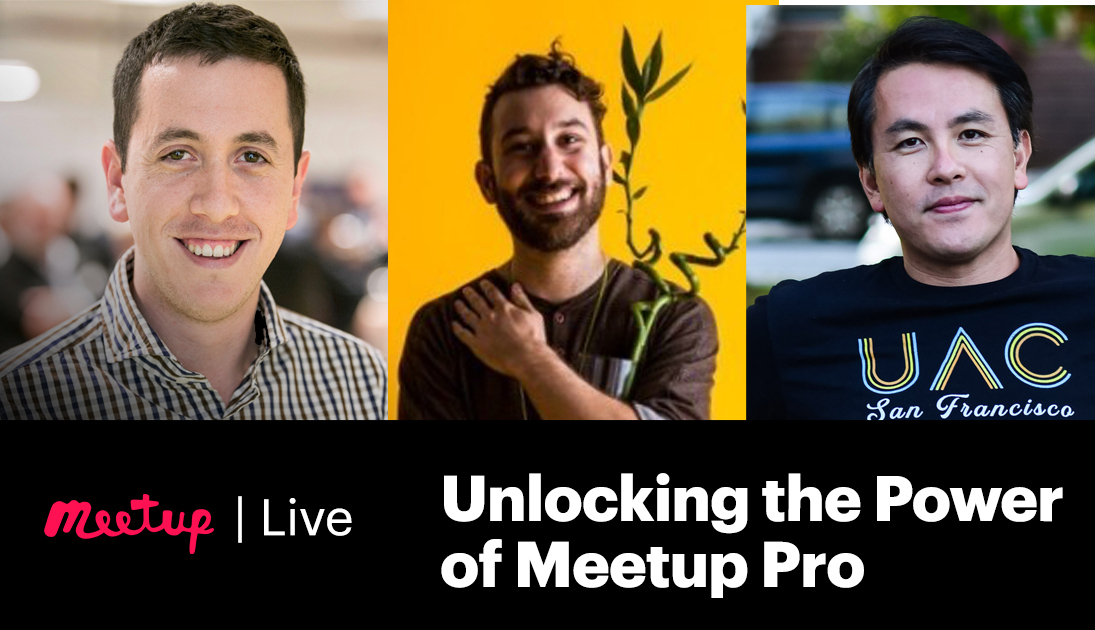
Watch this recording with Josh Rollin from the Meetup Pro team along with Meetup Pro organizers Nimrod Kramer and Andy Huang, for a discussion on how to leverage Pro features to reach your goals. They’ll answer common questions, share success stories, and walk through useful tips and tricks.
Timestamps:
- Nimrod and Andy’s Introduction (1:57)
- Nimrod (10:17)
- Learn Nimrod’s tips and tricks on how to use the pro dashboard including the members page, analytics page, and sponsors.
- Andy (22:52)
- Listen to Andy’s insights on how to use the pro analytics page, messaging tools, and network events to your advantage.
- Q&A (30:06)
Top Q&A Questions & Resources:
- What are some of the best strategies to grow Meetup group. I recently started five groups on pro?
- Andy: Initially, I didn’t try that much to grow the groups, it was more about keeping the people who have already joined. So I think meetup is a pretty good job of when you create a new group to recommend it to new members or people who are looking around on meetup. So initially I just had people joining groups, and then my goal was to really get to know them, reach out to them message them, and then see what type of events they want to attend and then when they do attend an event really try to confer the connection to give them a reason to come back. So that’s sort of how I chose to focus. I didn’t really advertise my Meetup group outside of meetup.
- Nimrod: So for our case since it’s the first year, so I want to touch upon what our goal was. We just wanted to make sure that our Meetup group doesn’t die. That was like the goal for year one, we want it to be an engaging group of people that are coming together to, to those monthly events, and we wanted to keep them on top of things so it involved a lot of building their trust, about the events. It’s a it was a lot about giving them options to express their voice. I think that after three or four events when we got things right. We started seeing people inviting others, which is, in my opinion the most powerful form of growth. We were growing through word of mouth, just a recommendation from one person to another.
- How many reminder emails to each of you send out before an event?
- Andy: So it depends. Meetup naturally sends a reminder message. So then, I mostly rely on that but then I use the comments as a way to remind people who have registered. Using the comments is less intrusive, I don’t think people want emails with every event, so I think using the comments and using other ways of messaging gets the job done.
- Nimrod: We send usually three email reminders. One is an invitation, the second one is in case you’ve missed an email just making sure that whoever wanted to sign up and forgot will sign up and then a thrid email once the event starts. So, yeah this is like what worked for us but another thing that I want to emphasize here is that, getting the emails right and getting the messaging right is art and and the best way to do it is to AB test your messaging. If you’re not familiar with the concept of AB testing, some of the email marketing platforms,they allow for you to AB test the headline, for instance, so if you want to optimize the open rates.That’s a great way to do it, and you can optimize the type, the different content in the email and so on so forth. That also really helps us from one month to another to increase our conversion rates and to bring more people to our events.
- Do organizers receive email addresses for all members of a meetup group or only for those who RSVP?
- Josh: So it’s only for members who RSVP and that’s only after you’ve upgrade to pro as well, so you won’t receive the email addresses of members who RSVP before you upgrade to Pro. Once you upgrade and you start hosting events, you’ll start to receive the email addresses of members who RSVP to those events and. Just to clarify, again the reason that we have it set up like that because members are informed that they’re going to be sharing their email address with you when they RSVP to events in your pro network.
Resources:
- Andy’s resources:
- Urban Adventure Club website
- UAC Meetup groups
- Nimrod’s resources:

Last modified on January 18, 2022